
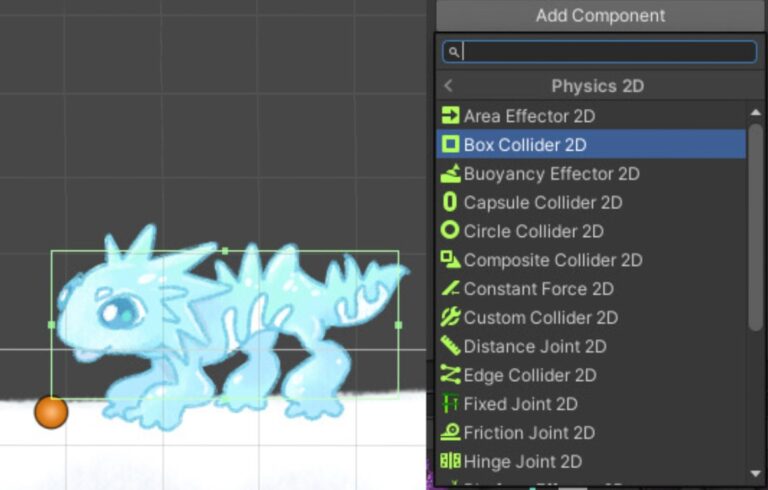
Adding a 2D collider to your sprite in Unity is essential for enabling collision detection and physical interactions in your game. In this tutorial, we’ll walk you through…
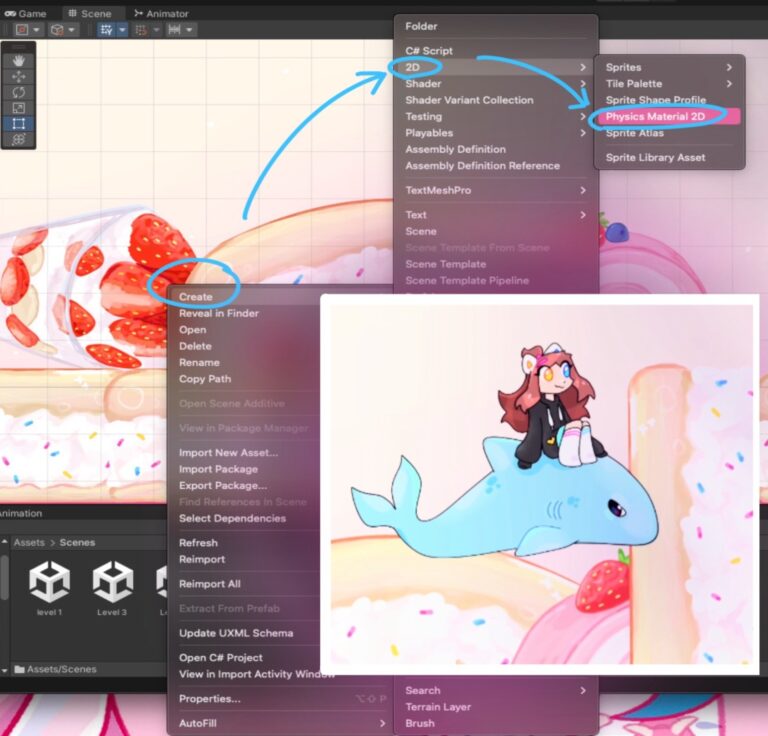
Right-click with your mouse cursor on the assets section or in any other folder and navigate to “Create. ” Then select “2D,” followed by “Physics Material 2D.” Name…
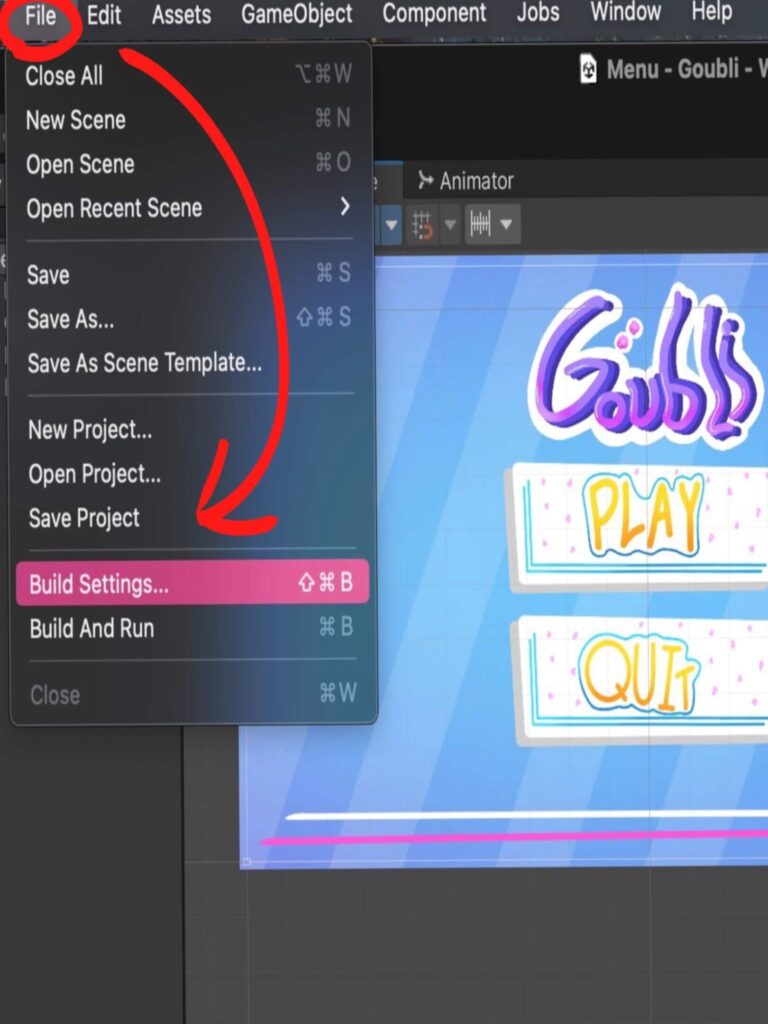
To add an icon for your game as a cover in your project, click “File” and then “Build settings”. You will see a small window. In this window in the lower left corner, click the “Player Settings” button.
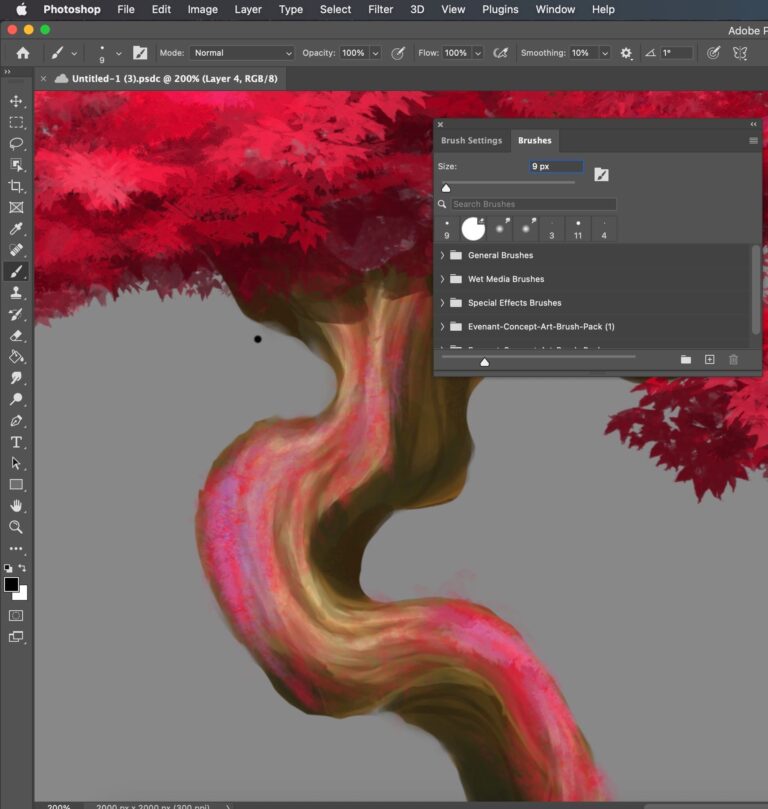
How to Use Brushes in Photoshop?
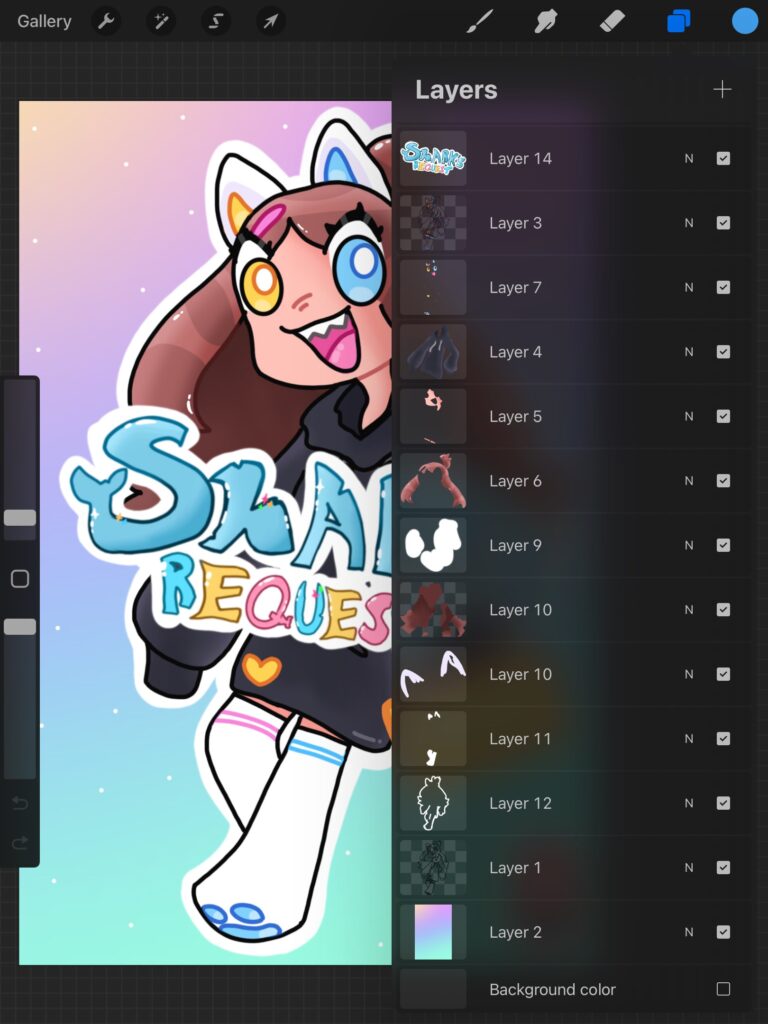
What are layers and why do we need them? Layers allow you to overlay image elements on top of each other. They allow you to draw overlapping objects…
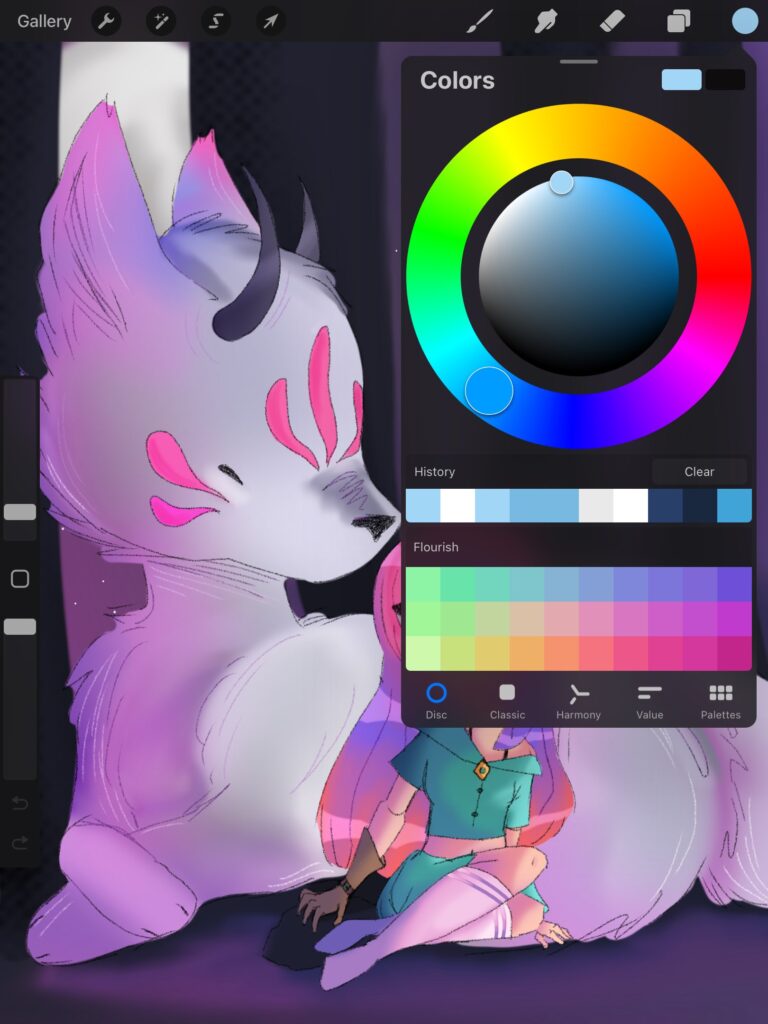
Eyedropper To choose the colour you need from the picture, you need to press and hold on to the screen. You will have a mini circle indicating which…